
 Key Type Key Type | Online Activation Key, Retail Key |
|---|---|
 Region Region | Global |

Windows 10 Pro with Office 2021, for PCs that should stay on Windows 10. You get a Windows 10 Pro Retail key and an Office 2021 Professional Plus key, both one-time purchases with no subscription, emailed right after payment with our activation guides.
What’s in the bundle
- Windows 10 Pro: BitLocker, Remote Desktop, Hyper-V and Group Policy, on PCs with or without Windows 11-ready hardware.
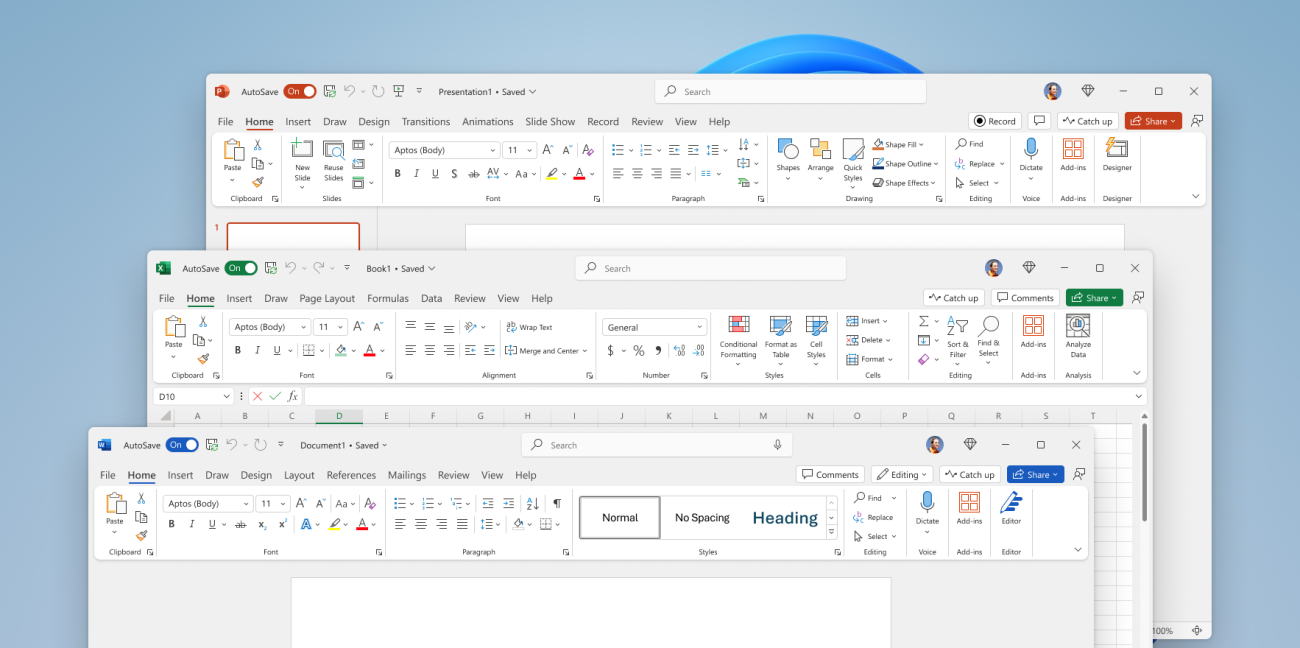
- Office 2021 Professional Plus: Word, Excel, PowerPoint, Outlook, OneNote, Access and Publisher for one Windows PC.
The two keys are separate licenses: activate them on the same PC, or Windows on one PC and Office on another.
What you get
Two 25-character product keys, emailed right after payment: a Windows 10 Pro Retail key for one PC and an Office 2021 Professional Plus key for one Windows PC. It’s a one-time purchase with no subscription.
Office 2021 and Windows 10 Pro bundle price
Here is what the two keys cost bought separately and together:
| Seller | What you get | Price |
|---|---|---|
| Microsoft Store (US) | Windows 11 Pro ($199.99) and Office Home & Business 2024 ($249.99); Microsoft no longer sells Windows 10 | $449.98 |
| GGKeys, bought separately | Windows 10 Pro key + Office 2021 Professional Plus key | CHF 43 |
| GGKeys bundle | Both keys in one order | CHF 34 |
Microsoft’s prices are list prices in its US store for Windows 11 Pro and Office Home & Business 2024; Microsoft doesn’t sell Office 2021 Professional Plus in its store. Our prices are shown in your currency, as one-time payments.
How to activate the two keys
Windows 10 Pro
- Open Settings → Update & Security → Activation.
- Select Change product key and enter the Windows 10 Pro key from your order email.
- Select Next, then Activate.
Office 2021 Professional Plus
- Install Office 2021 Professional Plus: redeem the key at setup.office.com, or download Microsoft’s installation file directly, as shown in our guide below.
- Open Word or another Office app. If Office asks for a product key, enter the Office key from your order email.
- When the Activation Wizard opens, select I want to activate the software over the Internet, then Next.
Step-by-step guides: Windows 10 and Office 2021 Professional Plus.
System requirements
| Component | Office 2021 | Windows 10 Pro |
|---|---|---|
| Operating System | Windows 10, Windows 11 | Installs as the operating system |
| Processor | 1.6 GHz or faster, 2-core | 1 GHz or faster |
| RAM | 4 GB RAM (64-bit); 2 GB RAM (32-bit) | 1 GB RAM (32-bit); 2 GB RAM (64-bit) |
| Hard Disk Space | 4 GB of available disk space | 32 GB or larger |
| Display | 1280 x 768 screen resolution | 800 x 600 screen resolution |
| Graphics | DirectX 9 or later with WDDM 2.0 or higher | DirectX 9 or later with WDDM 1.0 driver |
| Internet | Internet access required | Internet access required |
Office 2021 and Windows 10 Pro bundle FAQ
What do I get in this bundle?
Two keys: a Windows 10 Pro Retail key and an Office 2021 Professional Plus key. Office includes Word, Excel, PowerPoint, Outlook, OneNote, Access and Publisher.
Can I use the two keys on different PCs?
Yes. Each key activates one PC, so you can put Windows 10 Pro and Office on the same PC or on two different PCs.
How much does the bundle cost?
The bundle costs CHF 34, a one-time payment with no subscription. Bought separately from us, the two keys cost CHF 43.
Are cheap Windows and Office keys legit?
Some are and some aren’t, so check the seller first: a registered company, a stated license type, and a replacement or refund if the key doesn’t work. GGKeys is run by GGKEYS LTD, a company registered in Bulgaria, in the EU. Our Windows 10 Pro keys are genuine Retail keys and our Office keys activate online with Microsoft; if a key doesn’t work, we fix it or refund you within 14 days. You can read our customer reviews on Trustpilot.
Does Windows 10 still get security updates?
Microsoft ended support for Windows 10 on 14 October 2025. Personal PCs can still get security updates until 12 October 2027 through Microsoft’s Extended Security Updates (ESU) program, which is free if you sync your PC settings with a Microsoft account. If your PC meets Windows 11’s requirements, you can also upgrade to Windows 11 Pro at no cost.
How fast will I get my keys?
By email, right after payment. If they haven’t arrived within a few minutes, check your spam folder, then contact us.
What if a key doesn’t activate?
Contact our support within 14 days with your order number, as described in our refund policy. We’ll fix the problem or replace the key, and if no working solution is possible, we’ll refund you.
 Overview
| Client | Microsoft |
|---|---|
| Key Type | Online Activation Key, Retail Key |
| Language | Multilingual |
 Platform Platform | PC |
| Publisher | Microsoft |
| Region | Global |
| Keys included | Windows 10 Pro (Retail) + Office 2021 Professional Plus |
| Devices | 1 PC per key |
| Activation | Online: Windows in Settings, Office in any Office app |
Discounted Games


Anno 117: Pax Romana
Price range: CHF 53 through CHF 76
ARC Raiders
Price range: CHF 38 through CHF 57
Assetto Corsa Rally
CHF 27
Battlefield 6
Price range: CHF 62 through CHF 86
Broken Arrow (Steam)
Price range: CHF 38 through CHF 45More Like This


Reviews
Clear filtersThere are no reviews yet.