
 Key Type Key Type | OEM Key |
|---|---|
 Region Region | Global |
| Availability | ✅ In stock |
 Delivery: Delivery: | This product is delivered instantly! |
|---|
This Windows Server 2019 Datacenter key is an OEM license for one physical server. Datacenter allows unlimited Windows Server virtual machines on the licensed server. The key is emailed right after payment, and it’s a one-time purchase with no subscription.
What’s in Windows Server 2019 Datacenter
- Unlimited virtualization rights on the licensed server.
- Storage Spaces Direct and full Storage Replica.
- Shielded virtual machines, now for Linux guests as well.
- Software-defined networking with encrypted virtual networks.
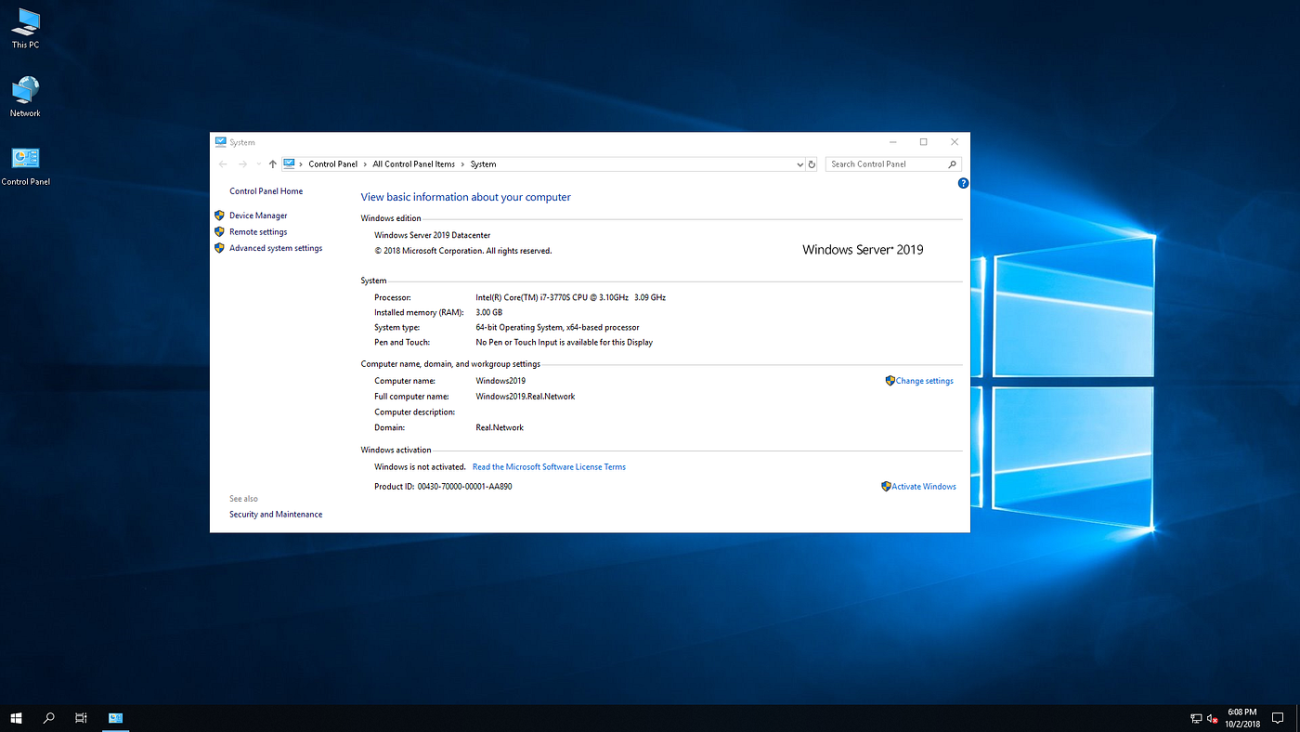
What you get
Your 25-character Windows Server 2019 Datacenter OEM product key for one server, emailed right after payment. It’s a one-time purchase with no subscription.
Windows Server 2019 Datacenter key price
Microsoft now sells Windows Server 2025. Here is its suggested Datacenter price next to ours:
| Seller | What you get | Price |
|---|---|---|
| Microsoft (US suggested price) | Windows Server 2025 Datacenter, 16-core license; client access licenses (CALs) extra | $6,771 |
| GGKeys | Windows Server 2019 Datacenter OEM key for one server, emailed after payment | $99 |
Microsoft’s price is from its Windows Server pricing page. Our price is shown in your currency, as a one-time payment.
How to activate Windows Server 2019 Datacenter
- Open Command Prompt as administrator.
- Type
slmgr /ipkfollowed by the 25-character key from your order email, then press Enter. - Type
slmgr /atoand press Enter. Windows Server activates online.
You can also use Settings → Update & Security → Activation → Change product key. Installed an Evaluation edition? Convert it to the full edition first: evaluation to full version guide. Full walkthrough: Windows Server installation and activation guide.
System requirements
| Component | Minimum Requirement |
|---|---|
| Processor | 1.4 GHz 64-bit processor |
| RAM | 512 MB for Server Core; 2 GB for Server with Desktop Experience |
| Hard Disk Space | 32 GB available space |
| Network Adapter | Gigabit Ethernet adapter (10/100/1000baseT) |
| Optical Drive | DVD-ROM drive (if installing from DVD media) |
| Display | Super VGA (800 x 600) or higher resolution monitor |
| Input Devices | Keyboard and mouse (or other compatible pointing device) |
| Internet | Internet access (fees may apply) |
Windows Server 2019 Datacenter key FAQ
How many servers can I activate?
One. Each key activates Windows Server 2019 Datacenter on one server.
How many virtual machines can I run?
As many as your hardware allows: Datacenter licenses unlimited virtual machines on the licensed server. For up to two, Windows Server 2019 Standard costs less.
Is this an OEM key?
Yes. Under Microsoft’s license terms, an OEM license is tied to the first server it’s activated on and can’t be moved to another server.
How much does a Windows Server 2019 Datacenter key cost?
Microsoft’s suggested price for its current Windows Server 2025 Datacenter is $6,771 for a 16-core license. A Windows Server 2019 Datacenter OEM key from GGKeys costs $99, a one-time payment with no subscription.
Are cheap Windows Server keys legit?
Some are and some aren’t, so check the seller first: a registered company, a stated license type, and a replacement or refund if the key doesn’t work. GGKeys is run by GGKEYS LTD, a company registered in Bulgaria, in the EU. Our Windows Server keys are genuine OEM keys that activate online with Microsoft, and if one doesn’t work, we fix it or refund you within 14 days. You can read our customer reviews on Trustpilot.
Do I need CALs?
Under Microsoft’s licensing, each user or device that connects to Windows Server Standard or Datacenter needs a Windows Server client access license (CAL), and Remote Desktop users also need RDS CALs. Our Windows Server 2019 RDS CALs are sold separately.
Is Windows Server 2019 still supported?
Yes, with security updates until 9 January 2029. Mainstream support ended in January 2024.
How fast will I get my key?
By email, right after payment. If it hasn’t arrived within a few minutes, check your spam folder, then contact us.
What if my key doesn’t activate?
Contact our support within 14 days with your order number, as described in our refund policy. We’ll fix the problem or replace the key, and if no working solution is possible, we’ll refund you.
 Overview
| Client | Microsoft |
|---|---|
| Key Type | OEM Key |
| Language | Multilingual |
 Platform Platform | PC |
| Publisher | Microsoft |
| Region | Global |
| Release Date | October 2, 2018 |
| Delivery: | This product is delivered instantly! |
| Availability | ✅ In stock |
| Devices | 1 server (unlimited VMs) |
| Activation | Online, with slmgr or in Settings |
Discounted Games


Anno 117: Pax Romana
Price range: $63 through $91
ARC Raiders
Price range: $46 through $69

Battlefield 6
Price range: $74 through $103
Broken Arrow (Steam)
Price range: $46 through $54More Like This



Reviews
Clear filtersThere are no reviews yet.