
 Key Type Key Type | Online Activation Key |
|---|---|
 Region Region | Global |
Why buy an Office 2013 Professional Plus key?
- Enhanced User Interface: It introduces a streamlined interface with improved touch support and a modern look across all applications.
- Cloud Integration: Office 2013 Professional Plus seamlessly integrates with cloud services like OneDrive and SharePoint, enabling easy access and collaboration on documents from anywhere.
- Extended File Format Support: It supports new file formats, including PDF editing in Word, enhancing compatibility and flexibility for document management.
Office 2013 Professional Plus represents a comprehensive suite of productivity tools tailored for businesses and professionals seeking robust capabilities and enhanced collaboration. With its refined user interface designed for optimal usability across devices, this suite offers a seamless experience for creating, editing, and sharing documents. Integrated cloud services such as OneDrive and SharePoint empower users to store, access, and collaborate on files from virtually anywhere. Office 2013 Professional Plus also introduces advanced features like extended file format support, including PDF editing in Word, ensuring compatibility and flexibility in document management. Ideal for modern workplaces, this suite is geared towards maximizing productivity and efficiency in today’s dynamic business environments.
Modern User Interface and Touch Optimization
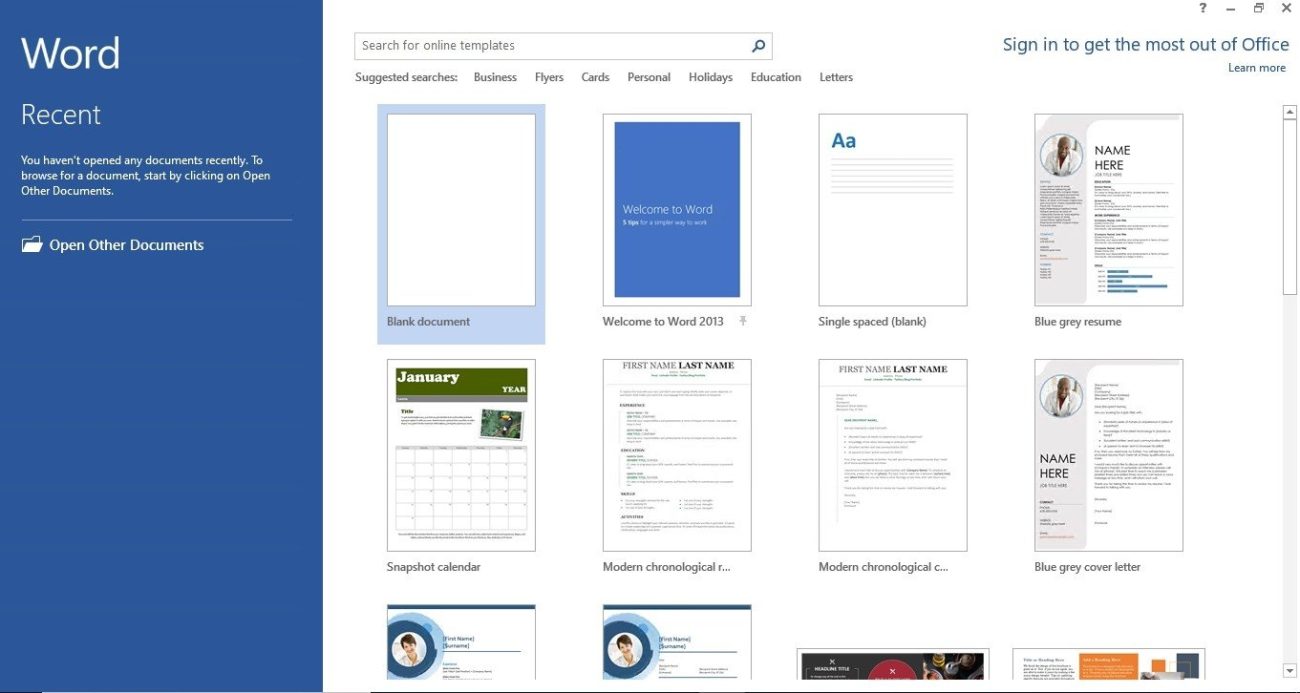
Office 2013 Professional Plus introduces a refreshed and intuitive user interface across its applications, including Word, Excel, PowerPoint, and Outlook. The interface is optimized for touch-enabled devices, making it easier to navigate and interact with documents on tablets and touchscreen laptops. This update enhances user productivity by providing a familiar yet modern environment for creating and editing content, whether in the office or on the go.
Enhanced Collaboration with Cloud Integration
This version of Office seamlessly integrates with Microsoft’s cloud services such as OneDrive (formerly SkyDrive) and SharePoint. Users can save their documents to OneDrive and access them from any device with an internet connection. SharePoint integration enables team collaboration on documents in real-time, allowing multiple users to edit and review documents simultaneously. These cloud-based features promote efficient teamwork and improve workflow management, ensuring that teams can collaborate effectively regardless of their physical location.
Extended File Format Support and PDF Editing
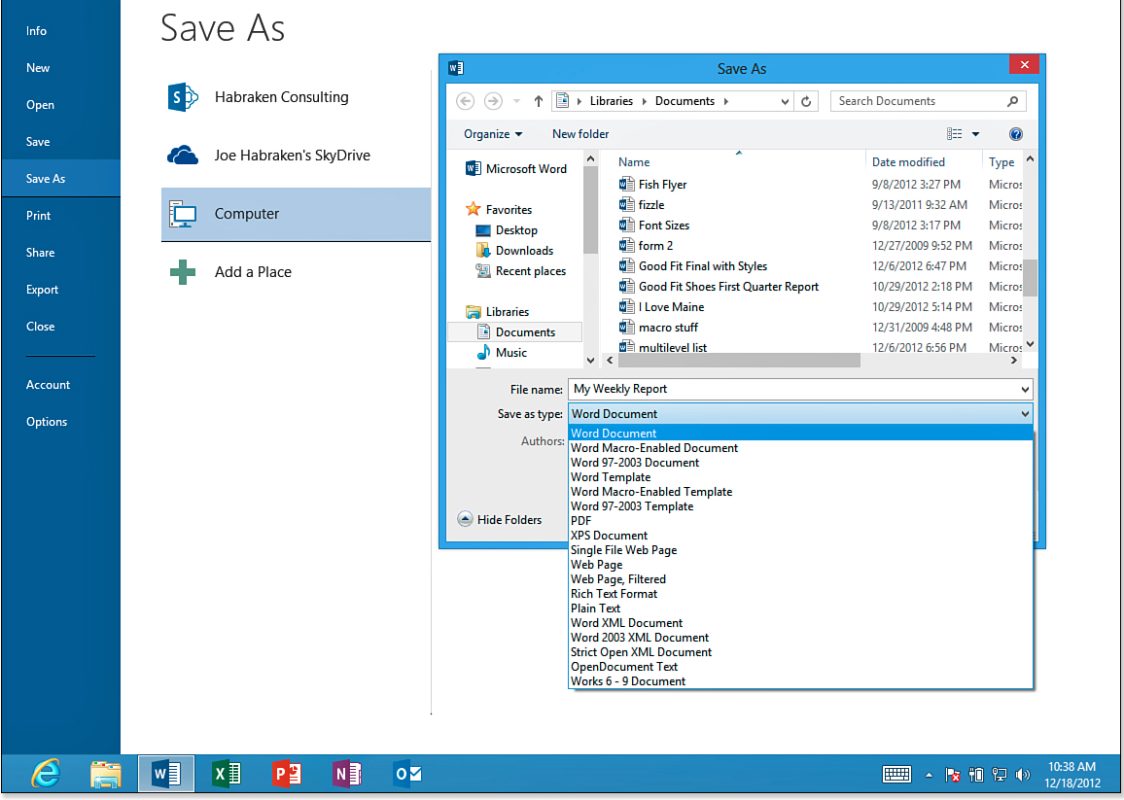
Office 2013 Professional Plus expands file format support, enabling users to open, edit, and save documents in new formats, including the OpenDocument Format (ODF). Additionally, Word 2013 includes built-in PDF editing capabilities, allowing users to directly edit PDF files within the Word application. This feature streamlines document handling processes and enhances compatibility with various file types, reducing the need for third-party tools and improving document management efficiency.
Features:
- Modern User Interface: Office 2013 Professional Plus features a sleek and intuitive interface across its applications, optimized for touch-enabled devices, enhancing user experience and productivity.
- Cloud Integration: Seamlessly integrate with OneDrive and SharePoint, allowing users to store, access, and collaborate on documents from anywhere, fostering efficient teamwork and workflow management.
- Extended File Format Support: Supports new file formats, including OpenDocument Format (ODF), and includes built-in PDF editing in Word, ensuring compatibility and flexibility in document management.
Benefits:
- Enhanced Productivity: The modern interface and touch optimization make it easier to create, edit, and present documents, enhancing overall productivity for users across devices.
- Improved Collaboration: Cloud integration with OneDrive and SharePoint enables real-time collaboration on documents, facilitating seamless teamwork and efficient workflow management.
- Flexibility and Compatibility: Extended file format support and PDF editing capabilities in Word enhance document handling flexibility and compatibility, reducing reliance on additional software tools and simplifying document management tasks.
Choose Office 2013 Professional Plus for your business to harness advanced productivity tools and seamless collaboration features. With its modern interface optimized for touch devices, integrated cloud capabilities with OneDrive and SharePoint, and enhanced file format support including PDF editing, it ensures your team stays productive and efficient. Office 2013 Professional Plus empowers you to create, edit, and collaborate on documents from anywhere, making it the ideal choice for businesses looking to streamline operations and enhance teamwork in today’s dynamic work environment.
What you get
Your 25-character Office 2013 Professional Plus product key for one Windows PC, emailed right after payment. It’s a one-time purchase with no subscription and includes Word, Excel, PowerPoint, Outlook, OneNote, Access and Publisher.
Office 2013 Professional Plus key price
Microsoft no longer sells Office 2013, and Professional Plus was only licensed to organizations. Here is Microsoft’s current one-time Office next to our price:
| Seller | What you get | Price |
|---|---|---|
| Microsoft Store (US) | Office Home & Business 2024: Word, Excel, PowerPoint, Outlook and OneNote for 1 PC or Mac | $249.99 |
| GGKeys | Office 2013 Professional Plus key for 1 Windows PC, also with Access and Publisher | 10.99 € |
Microsoft’s price is the list price in its US store. Our price is shown in your currency, as a one-time payment.
How to install and activate Office 2013 Professional Plus
- Run Office 2013 Professional Plus setup and enter the 25-character key from your order email when setup asks for it.
- Open Word or another Office app.
- When the Activation Wizard opens, select I want to activate the software over the Internet, then Next.
Remove any other Office version first, so the two don’t conflict.
System requirements
| Component | Minimum Requirement |
|---|---|
| Processor | 1 GHz or faster x86 or x64-bit processor with SSE2 instruction set |
| RAM | 1 GB RAM (32-bit) or 2 GB RAM (64-bit) |
| Hard Disk Space | 3 GB available disk space |
| Display | 1024 x 768 resolution |
| Operating System | Windows 7 or later, Windows Server 2008 R2 or later (for server installations) |
| Graphics | Graphics hardware acceleration requires DirectX 10 graphics card |
| Other Requirements | .NET version 3.5, 4.0, or 4.5, Microsoft Internet Explorer 8, 9, or 10, Mozilla Firefox 10.x or later, Apple Safari 5, or Google Chrome 17.x |
Office 2013 Professional Plus key FAQ
How many PCs can I install it on?
One. Each key activates Office 2013 Professional Plus on one Windows PC. For more PCs, see our Office 2013 Professional Plus 5PC key.
Is it a subscription?
No. It’s a one-time purchase: you pay once and keep using Office 2013, with no Microsoft 365 subscription.
How much does an Office 2013 Professional Plus key cost?
Microsoft no longer sells Office 2013; its current one-time Office, Office Home & Business 2024, costs $249.99 in its US store. An Office 2013 Professional Plus key from GGKeys costs 10.99 €, a one-time payment with no subscription.
Are cheap Office 2013 keys legit?
Some are and some aren’t, so check the seller first: a registered company, a stated license type, and a replacement or refund if the key doesn’t work. GGKeys is run by GGKEYS LTD, a company registered in Bulgaria, in the EU. Our Office 2013 Professional Plus keys activate online with Microsoft, and if one doesn’t work, we fix it or refund you within 14 days. You can read our customer reviews on Trustpilot.
Is Office 2013 still supported?
No. Microsoft ended support for Office 2013 on 11 April 2023, so it no longer gets security updates, but the apps keep working.
Which apps are included?
Word, Excel, PowerPoint, Outlook, OneNote, Access and Publisher.
How fast will I get my key?
By email, right after payment. If it hasn’t arrived within a few minutes, check your spam folder, then contact us.
What if my key doesn’t activate?
Contact our support within 14 days with your order number, as described in our refund policy. We’ll fix the problem or replace the key, and if no working solution is possible, we’ll refund you.
 Overview
| Client | Microsoft |
|---|---|
| Compatibility | Windows 10, Windows 7, Windows 8 |
| Key Type | Online Activation Key |
| Language | Multilingual |
 Platform Platform | PC |
| Publisher | Microsoft |
| Region | Global |
| Release Date | January 29, 2013 |
| Devices | 1 PC (Windows) |
| Included apps | Word, Excel, PowerPoint, Outlook, OneNote, Access, Publisher |
| Activation | Online, in any Office app |
Discounted Games


Anno 117: Pax Romana
Price range: 54.99 € through 79.99 €
ARC Raiders
Price range: 39.99 € through 59.99 €
Assetto Corsa Rally
27.99 €
Battlefield 6
Price range: 64.99 € through 89.99 €
Broken Arrow (Steam)
Price range: 40.00 € through 47.00 €More Like This
Reviews
Clear filtersThere are no reviews yet.