
Blog
How to Install Windows Using a Product Key

Activate your Windows operating system with a product key. This step-by-step guide makes Windows activation simple and straightforward for everyone.
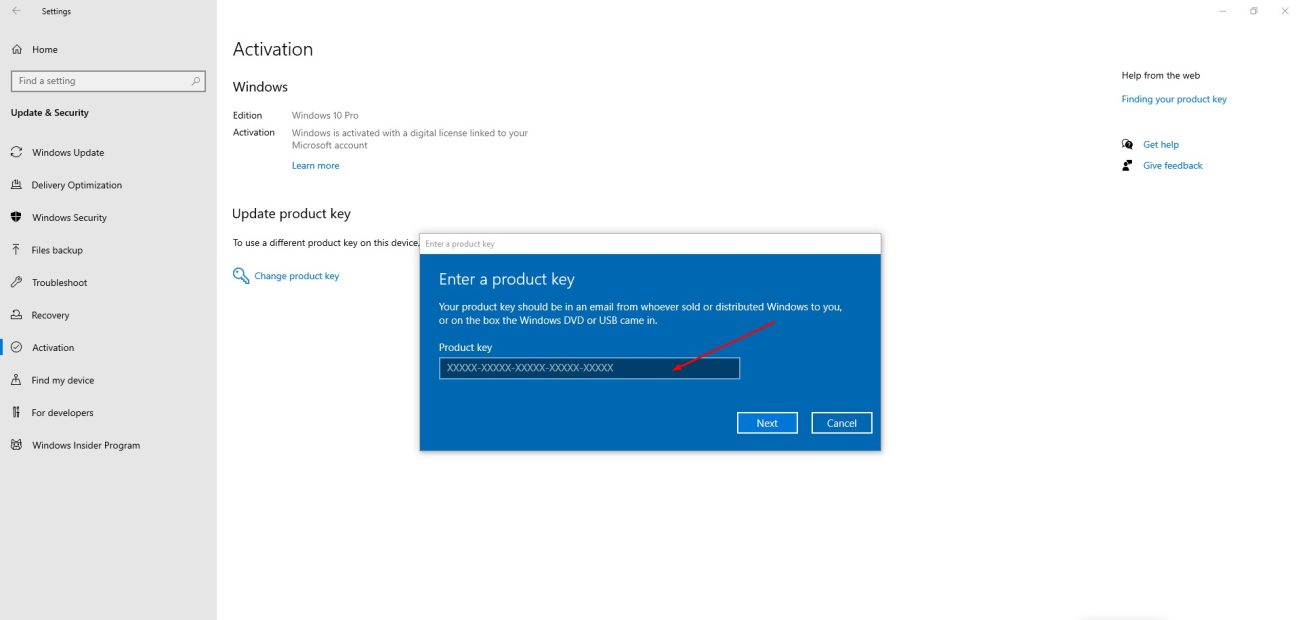
A product key is a 25-character code formatted like this:
PRODUCT KEY: XXXXX-XXXXX-XXXXX-XXXXX-XXXXX
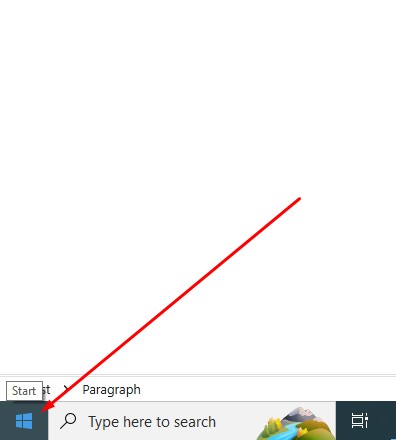
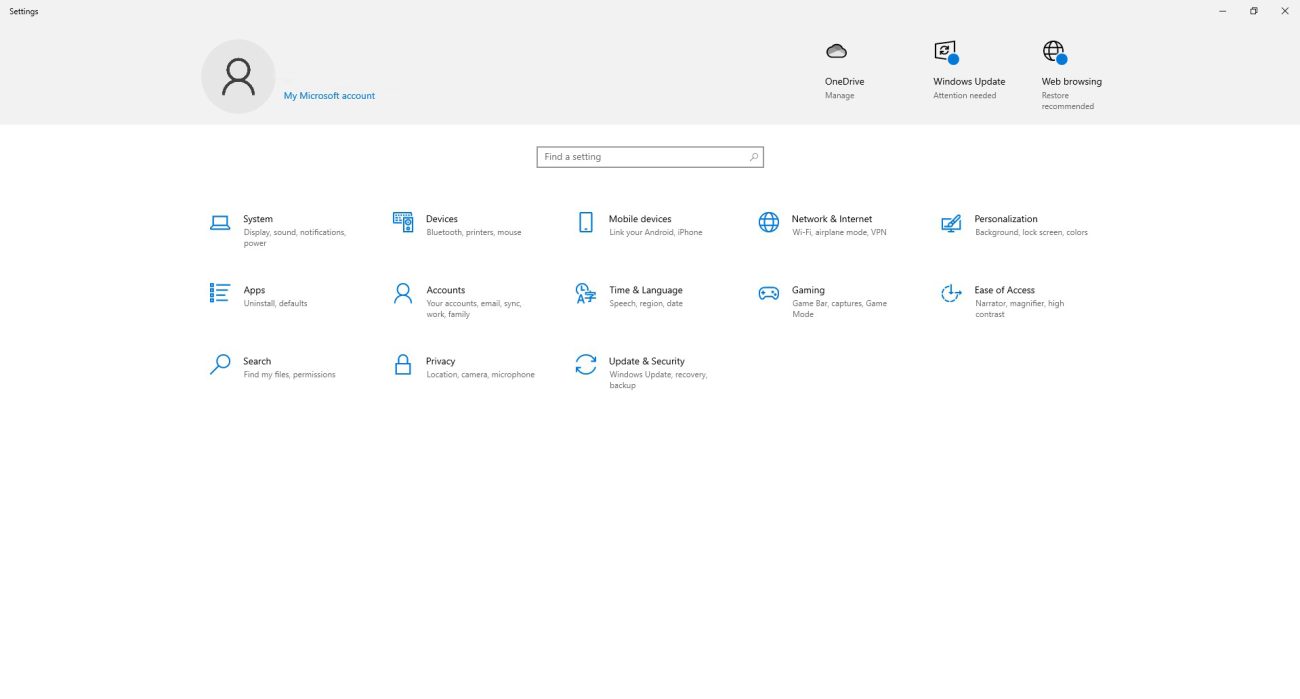
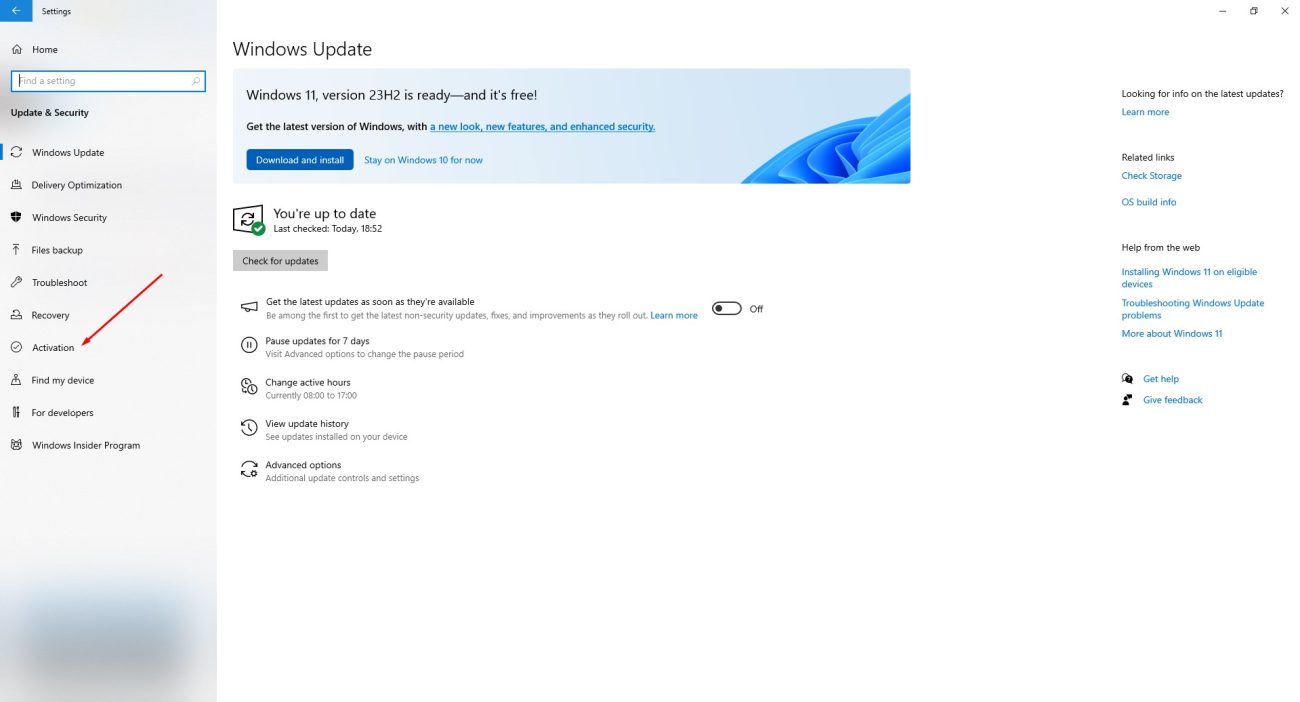
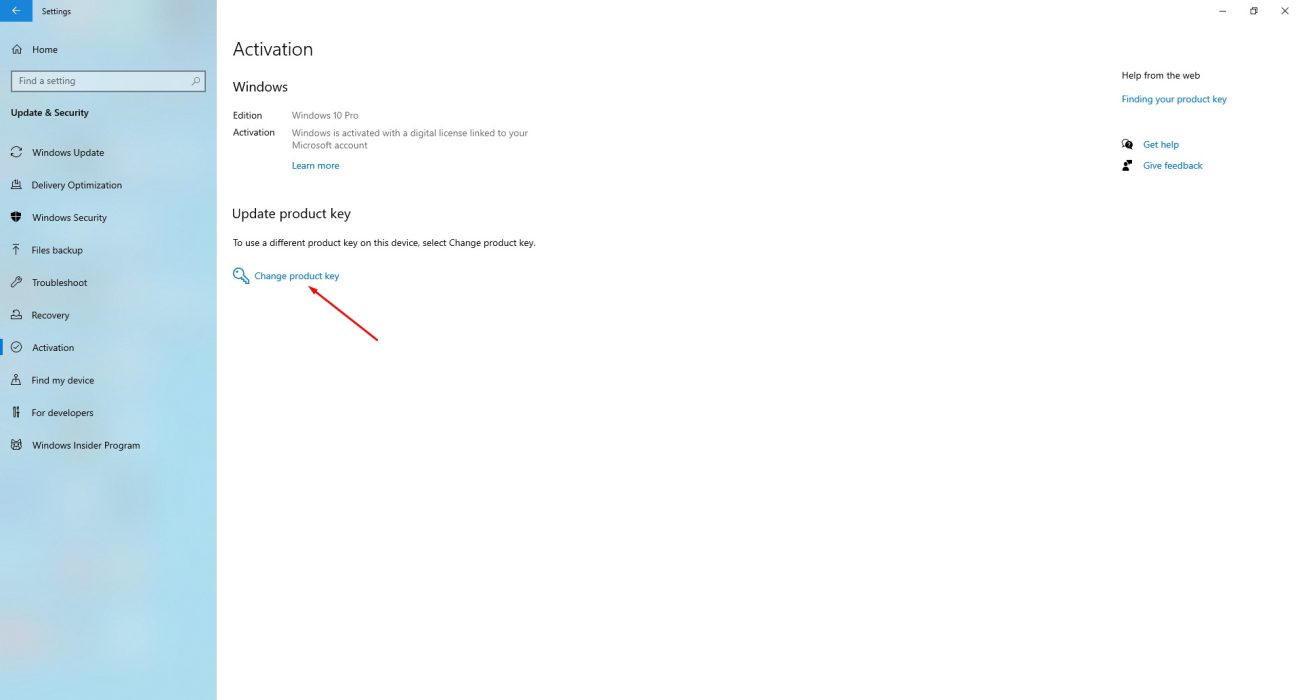
During the installation process, you’ll be asked to enter your product key. If you didn’t provide it during installation, you can enter it afterward by clicking the Start button and navigating to Settings > Update & Security > Activation > Update product key > Change product key.
Need a key? Get a genuine Windows 11 Pro key or a Windows 10 Pro key, emailed right after payment.


