
 Key Type Key Type | Retail Key |
|---|---|
 Region Region | Global |
| Availability | ✅ In stock |
 Delivery: Delivery: | This product is delivered instantly! |
|---|
Why buy a Project 2016 Professional key?
- Project 2016 Professional allows comprehensive management of resources, ensuring efficient allocation and utilization across projects.
- Visualize project timelines with ease using intuitive Gantt charts and timelines in Project 2016 Professional, enhancing project planning and communication.
- Enhance team collaboration with built-in communication tools and SharePoint integration in Project 2016 Professional, facilitating seamless project coordination and updates.
Project 2016 Professional is a robust project management software tailored to meet the diverse needs of modern project teams and organizations. With its powerful features and intuitive interface, Project 2016 Professional empowers project managers to efficiently plan, track, and collaborate on projects of all sizes. From detailed resource management to dynamic timeline visualization through Gantt charts, Project 2016 Professional provides the tools necessary to streamline project workflows and optimize resource allocation. Whether used standalone or integrated with Microsoft SharePoint for enhanced collaboration, Project 2016 Professional is an essential tool for driving project success and achieving organizational goals.
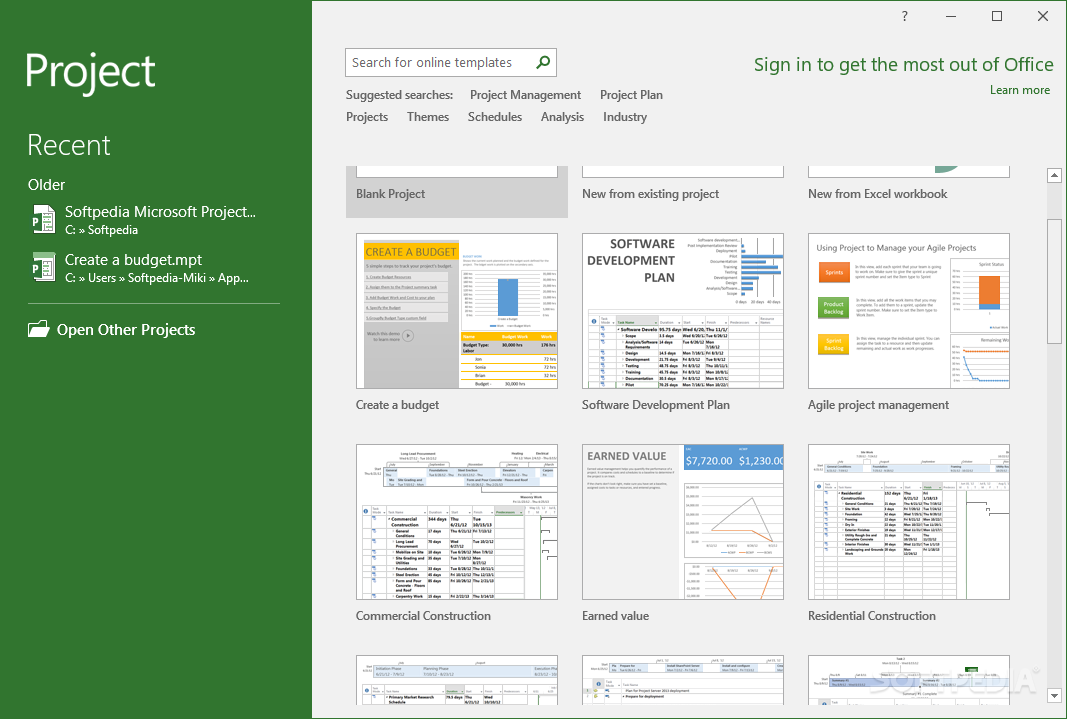
Resource Management
Project 2016 Professional excels in resource management, allowing project managers to efficiently allocate and track resources across multiple projects. With features like resource leveling to optimize workload distribution and cost tracking for budget management, it ensures that resources are utilized effectively. This capability helps teams avoid overallocation, optimize productivity, and maintain project timelines and budgets.
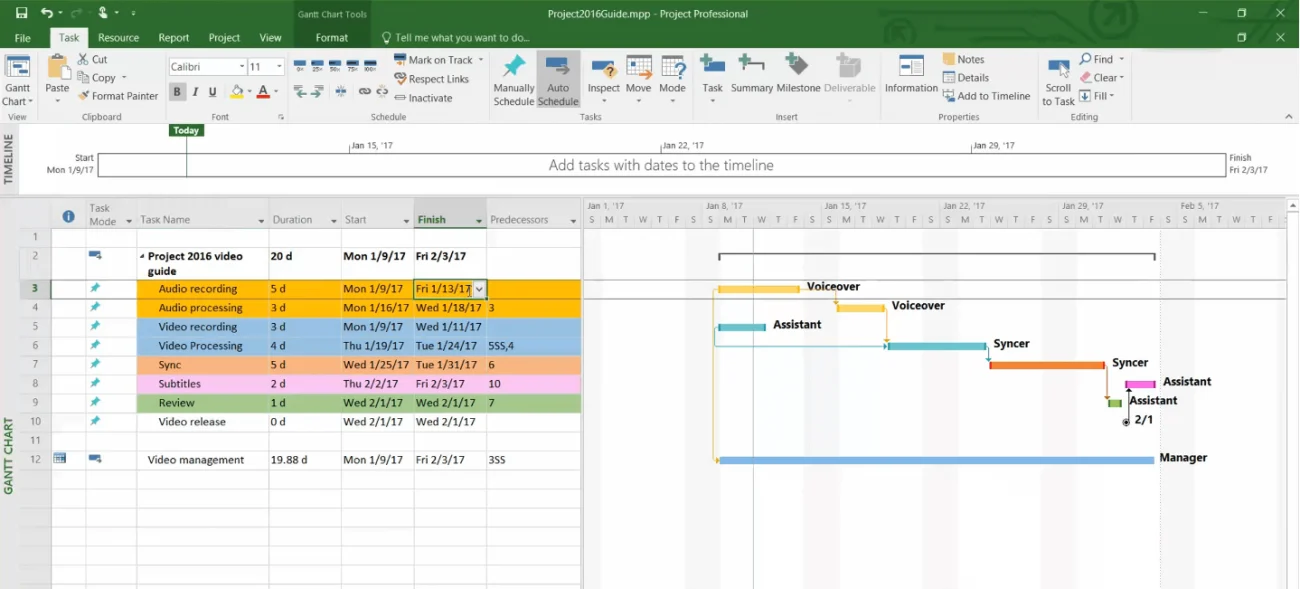
Timeline Visualization
Project 2016 Professional offers robust timeline visualization tools, including Gantt charts and timeline views, to help project managers and teams plan and track project progress effectively. Gantt charts provide a visual representation of tasks, dependencies, and milestones, enabling better decision-making and communication. Timeline views offer a high-level overview of project phases and deadlines, facilitating clear project planning and execution.
Collaboration and Integration
Project 2016 Professional enhances collaboration among project teams with built-in communication tools and seamless integration with Microsoft SharePoint. Team members can easily communicate updates, share documents, and collaborate on tasks within the project environment. SharePoint integration allows for centralized document management and version control, ensuring that teams work with the latest information and maintain project continuity.
Features:
- Multiple Timeline Views: Use multiple timeline views to easily manage and track project progress, resources, and deadlines.
- Resource Management: Manage project resources efficiently and effectively, with features such as resource leveling and team planner.
- Customizable Reports: Create custom reports to monitor project progress, budget, and timelines, and share them with team members and stakeholders.
- Collaboration and Sharing: Collaborate and share project plans with stakeholders and team members in real-time through SharePoint and Skype for Business integration.
- Intuitive User Interface: Project 2016 Professional offers a user-friendly interface that simplifies the project management process and makes it easy to create and modify project plans.
Benefits:
- Efficient Resource Management: Project 2016 Professional allows for effective allocation and tracking of resources, preventing overallocation and optimizing productivity.
- Visual Project Planning: With intuitive Gantt charts and timeline views, Project 2016 Professional provides clear visual representations of project timelines, tasks, and dependencies.
- Enhanced Collaboration: Built-in communication tools and integration with Microsoft SharePoint facilitate seamless collaboration among project teams.
- Improved Project Control: Project 2016 Professional offers robust tools for budget tracking, task scheduling, and milestone management, giving project managers greater control over project progress.
Choose Project 2016 Professional for its comprehensive suite of tools designed to enhance project management efficiency and collaboration. With powerful features like resource management, timeline visualization through Gantt charts, and seamless integration with Microsoft SharePoint for enhanced teamwork, Project 2016 Professional empowers project managers to plan, track, and deliver projects effectively. Whether managing small-scale initiatives or large, complex projects, Project 2016 Professional ensures streamlined workflows, optimized resource utilization, and clear project oversight, making it the ideal choice for achieving project success and driving organizational growth.
What you get
Your 25-character Project Professional 2016 product key for one Windows PC, emailed right after payment. You redeem it once at setup.office.com, where it’s linked to your Microsoft account, then install Project from your account page. It’s a one-time purchase with no subscription.
Project 2016 Professional key price
Microsoft now sells Project 2024. Here is its one-time Professional price next to ours:
| Seller | What you get | Price |
|---|---|---|
| Microsoft Store (US) | Project Professional 2024 for 1 PC | $1,129.99 |
| GGKeys | Project Professional 2016 key for 1 PC, emailed after payment | $20.00 |
Microsoft’s price is the list price on its Project Professional 2024 page. Our price is shown in your currency, as a one-time payment.
How to redeem and install Project 2016 Professional
- Go to setup.office.com, sign in with your Microsoft account (or create one), and enter the 25-character key from your order email.
- Choose your language and select Redeem. Project is now linked to your Microsoft account.
- Download and install Project from your account page, then open it and sign in with the same account to activate.
If Office is already on the PC, install the same 32-bit or 64-bit version of Project. Full walkthrough: Microsoft Project installation and activation guide.
System requirements
| Requirement | Details |
|---|---|
| Operating System | Windows 10, Windows Server 2012 R2, Windows Server 2016, or later versions |
| Processor | 1 GHz or faster x86- or x64-bit processor with SSE2 instruction set |
| Memory | 2 GB RAM or more |
| Hard Disk Space | 3 GB of available disk space |
| Display | 1024×768 resolution or higher |
| Graphics | Graphics hardware acceleration requires DirectX 10 graphics card |
| Browser | Supported browsers for SharePoint integration |
Project 2016 Professional key FAQ
How many PCs can I install it on?
One Windows PC. Because the license is linked to your Microsoft account, you can sign in and reinstall Project on a new PC later, one PC at a time.
Is this a Retail key?
Yes. You redeem it with Microsoft at setup.office.com, which links it to your Microsoft account for good.
Does Project work on a Mac?
No. The Project desktop app is for Windows only.
How much does a Project 2016 Professional key cost?
Microsoft now sells Project Professional 2024 for $1,129.99 in its US store. A Project 2016 Professional key from GGKeys costs $20.00, a one-time payment with no subscription.
Are cheap Project keys legit?
Some are and some aren’t, so check the seller first: a registered company, a stated license type, and a replacement or refund if the key doesn’t work. GGKeys is run by GGKEYS LTD, a company registered in Bulgaria, in the EU. Our Project keys are redeemed with Microsoft at setup.office.com and linked to your Microsoft account; if one doesn’t work, we fix it or refund you within 14 days. You can read our customer reviews on Trustpilot.
Is Project 2016 still supported?
No. Microsoft ended support for Project 2016 on 14 October 2025, so it no longer gets security updates, but the app keeps working.
How fast will I get my key?
By email, right after payment. If it hasn’t arrived within a few minutes, check your spam folder, then contact us.
What if my key doesn’t activate?
Contact our support within 14 days with your order number, as described in our refund policy. We’ll fix the problem or replace the key, and if no working solution is possible, we’ll refund you.
 Overview
| Client | Microsoft |
|---|---|
| Compatibility | Windows 10, Windows 7 |
| Key Type | Retail Key |
| Language | Multilingual |
 Platform Platform | PC |
| Publisher | Microsoft |
| Region | Global |
| Release Date | September 22 , 2015 |
| Delivery: | This product is delivered instantly! |
| Availability | ✅ In stock |
| Devices | 1 PC (Windows) |
| Activation | Redeem at setup.office.com, linked to your Microsoft account |
Discounted Games


Anno 117: Pax Romana
Price range: $90.00 through $130.00
ARC Raiders
Price range: $65.00 through $98.00
Assetto Corsa Rally
$46.00
Battlefield 6
Price range: $106.00 through $147.00
Broken Arrow (Steam)
Price range: $65.00 through $77.00More Like This

Reviews
Clear filtersThere are no reviews yet.